

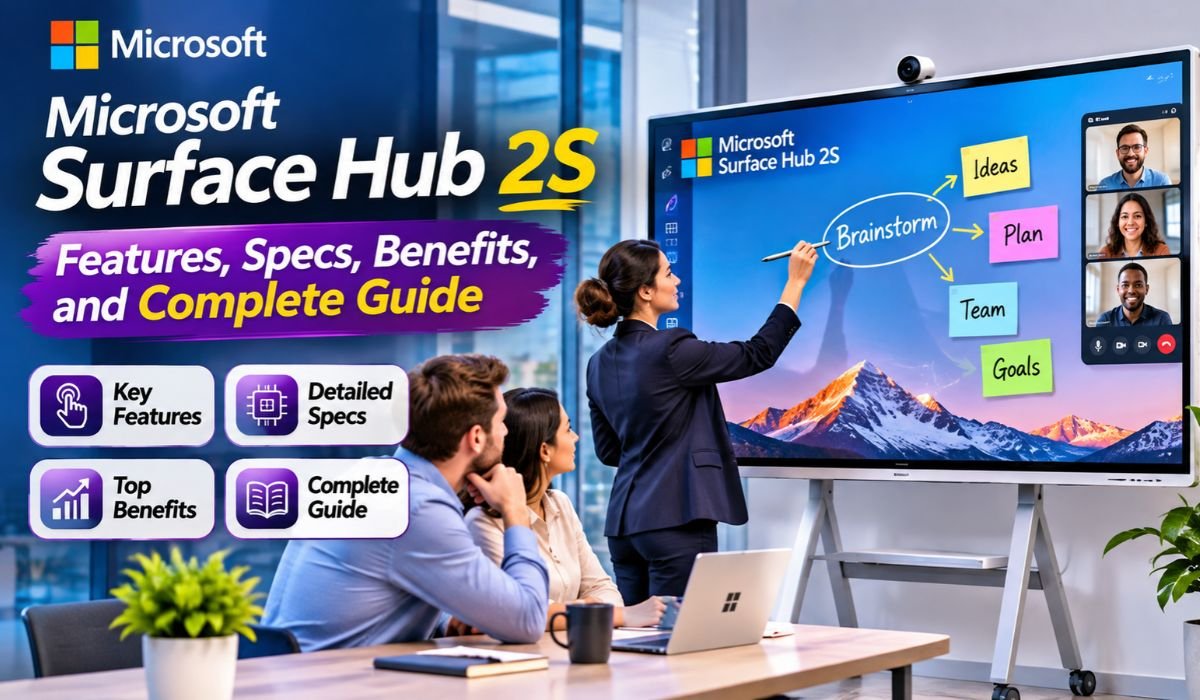
Modern workplaces need more than ordinary screens and video calls to keep employees connected. Teams often work from different offices, cities, or even countries, making clear communication and shared collaboration essential. The Microsoft Surface Hub 2S was designed to address these challenges by combining a large interactive touchscreen, video conferencing technology, and digital whiteboarding into one professional device.
Developed by Microsoft, Surface Hub 2S helps businesses conduct meetings, share presentations, brainstorm ideas, and collaborate more naturally. Its integration with Microsoft Teams and Microsoft Whiteboard makes it particularly useful for organizations that depend on digital communication.
However, technology has changed since its original release. In 2026, businesses must also consider software compatibility, security updates, and upgrade options before investing in this device. This guide explores its specifications, features, benefits, limitations, and long-term value.
What Is Microsoft Surface Hub 2S?
Microsoft Surface Hub 2S is an interactive collaboration display designed primarily for business meetings, presentations, and teamwork. Unlike a conventional television or monitor, it allows users to interact directly with displayed content through touch and compatible digital pens. Employees can write notes, develop ideas, review documents, and communicate with colleagues through supported collaboration software.
The device belongs to Microsoft’s Surface family but serves a different purpose from Surface laptops and tablets. It is intended for shared environments where several people may need to participate in the same discussion. Its large screen makes information easier to view, while integrated collaboration capabilities reduce the need for separate meeting-room equipment. Surface Hub 2S was originally offered in 50-inch and 85-inch versions, giving organizations options for different spaces. Although it was built around Windows 10 Team, compatible upgrades can provide newer Windows-based meeting experiences.
Microsoft Surface Hub 2S Quick Bio Information
| Information | Details |
|---|---|
| Product Name | Microsoft Surface Hub 2S |
| Manufacturer | Microsoft |
| Product Category | Interactive Collaboration Display |
| Original Release | 2019 |
| Available Models | 50-Inch and 85-Inch |
| Display Technology | PixelSense |
| 50-Inch Resolution | 3840 × 2560 Pixels |
| 85-Inch Resolution | 3840 × 2160 Pixels |
| 50-Inch Aspect Ratio | 3:2 |
| 85-Inch Aspect Ratio | 16:9 |
| Original Processor | Intel Core i5, 8th Generation |
| Original RAM | 8 GB |
| Original Storage | 128 GB SSD |
| Touch Support | Multi-Touch and Digital Inking |
| Original Operating System | Windows 10 Team |
| Meeting Platform | Microsoft Teams, Depending on Configuration |
| Whiteboarding | Microsoft Whiteboard |
| Main Applications | Meetings, Presentations, and Collaboration |
| Upgrade Possibilities | Supported Windows Migration and Compute Upgrades |
| Primary Users | Businesses, Organizations, and Training Teams |
These specifications describe the original hardware. Performance and software features may differ after supported upgrades.
Microsoft Surface Hub 2S Design and Display Quality
One of the most recognizable features of Microsoft Surface Hub 2S is its large, professional-looking touchscreen. Its slim design and relatively narrow bezels help it blend into modern meeting rooms without appearing unnecessarily complicated. The PixelSense display provides detailed visuals for presentations, diagrams, documents, and collaborative work.
The 50-inch version uses a 3:2 aspect ratio, offering additional vertical space that can be useful when reviewing documents or working on digital whiteboards. The 85-inch model features a traditional 16:9 widescreen format, making it particularly suitable for larger presentations and conference rooms. Both versions support direct touchscreen interaction, allowing participants to work with displayed content rather than simply watch it. Compatible wall mounts and stands provide installation flexibility, although businesses should verify accessory compatibility and mounting requirements before installation.
Microsoft Surface Hub 2S Specifications and Hardware
The original Microsoft Surface Hub 2S hardware includes an eighth-generation Intel Core i5 processor, 8 GB of RAM, and a 128 GB solid-state drive. This configuration was developed for meeting-room collaboration rather than demanding desktop computing tasks. Its purpose is to support presentations, whiteboarding, and compatible communication applications in a shared environment.
The device also includes integrated audio capabilities, microphone technology, and support for compatible conferencing cameras. These components help participants communicate during video meetings without assembling a completely separate conferencing system. Wireless connectivity and physical connection options support network access and external content sharing, although available ports and accessory arrangements vary by model. Because the original hardware is several years old, organizations should evaluate performance expectations carefully. Upgrading the software does not automatically transform older processing hardware into a modern high-performance workstation.
Surface Hub 2S 50-Inch vs. 85-Inch Models
Choosing between the two Microsoft Surface Hub 2S models depends largely on meeting-room size and intended use. The 50-inch version is better suited to smaller collaboration spaces where employees can stand close to the screen and interact directly with documents or whiteboards. Its 3:2 display provides a useful workspace for writing, drawing, and reviewing information.
The 85-inch version is designed for larger conference rooms where presentations must remain visible from greater distances. Its widescreen display accommodates video meetings and shared content more comfortably for larger groups. However, it also requires considerably more installation space and appropriate mounting equipment. Businesses should consider seating arrangements, viewing distance, accessibility, and available wall space rather than choosing a model based only on screen size.
Microsoft Surface Hub 2S Features for Better Teamwork
The main appeal of Microsoft Surface Hub 2S is its ability to make meetings more interactive. Instead of relying entirely on slides controlled by one presenter, employees can approach the screen, highlight information, draw diagrams, and contribute directly to discussions. This creates opportunities for more collaborative planning sessions and creative workshops.
Touchscreen interaction and digital pen support are especially helpful when reviewing designs, organizing ideas, or explaining complicated processes. Supported content-sharing features also allow teams to bring relevant information into meetings. For organizations with employees working remotely, compatible meeting software connects people in different locations. These capabilities can make collaboration more engaging, although the actual productivity benefits depend on how effectively employees use the technology and how well the meeting environment is configured.
Microsoft Teams Integration and Video Conferencing
Microsoft Teams integration has been a central part of the Surface Hub 2S experience. In supported configurations, the device allows employees to participate in video meetings, communicate with remote colleagues, and share relevant content during discussions. Its large screen helps participants follow presentations while communicating with others.
However, there is an important distinction between the original software experience and current supported configurations. Surface Hub 2S originally used Windows 10 Team, whose support ended in October 2025. Organizations using the device in 2026 should not assume that its original Teams application remains suitable for everyday business use. Supported Windows 11-based configurations, including eligible Teams Rooms setups, provide a more appropriate direction for continued collaboration. Businesses should confirm licensing, software compatibility, and administrator requirements before deployment.
Microsoft Whiteboard and Digital Brainstorming
Microsoft Whiteboard turns Surface Hub 2S into a shared digital workspace where employees can develop ideas visually. Instead of writing on a traditional board and photographing the results, teams can use compatible digital tools to create diagrams, organize concepts, and collaborate on planning activities.
This is particularly valuable for marketing discussions, product development, training sessions, and creative projects. Employees can use touch gestures and compatible pens to explain their ideas more clearly. Depending on the installed software and organizational settings, whiteboard content may also be saved or shared for later reference. This helps teams revisit decisions and continue discussions after meetings. For the best experience, organizations should verify account permissions, supported Whiteboard features, and collaboration settings.
Surface Hub 2S Software and Windows 11 Upgrade Options
Software support is one of the most important considerations for Microsoft Surface Hub 2S in 2026. The device originally shipped with Windows 10 Team, an operating system created for shared collaboration displays. Microsoft ended support for Windows 10 Team on October 14, 2025, making continued reliance on the original environment a security and compatibility concern.
Microsoft has provided migration options for eligible Surface Hub 2S devices, including supported Windows 11-based configurations and the Surface Hub 3 Compute Cartridge. The compute upgrade offers a way to modernize compatible existing hardware without necessarily replacing the entire display. However, upgrade eligibility, licensing, installation procedures, and available features must be checked carefully. Organizations should consult current Microsoft documentation before planning a migration, particularly when the device handles confidential business information.
How to Set Up Microsoft Surface Hub 2S
Setting up Microsoft Surface Hub 2S begins with choosing an appropriate location. The display should be clearly visible to meeting participants, positioned at a comfortable height, and installed using compatible mounting equipment. Larger models require additional attention to wall strength, installation safety, and available space.
Once installed, administrators must configure network connectivity and the supported operating environment. Depending on the software configuration, this may involve setting up a meeting-room account, Microsoft Teams Rooms licensing, calendar integration, and organizational security policies. The camera, microphones, speakers, touchscreen, and pen input should be tested before regular use. Businesses should also confirm that the device receives applicable updates and that employees understand its basic meeting and whiteboarding functions. Professional installation may be appropriate, especially for the larger model.
Benefits of Microsoft Surface Hub 2S for Businesses
Microsoft Surface Hub 2S offers several practical advantages for organizations that regularly conduct collaborative meetings. Its large touchscreen creates a shared visual space where participants can discuss documents, develop ideas, and review information together. This can reduce dependence on printed materials and make presentations more interactive.
The device can also simplify meeting-room arrangements by bringing display, audio, and supported conferencing capabilities into one system. For hybrid teams, video communication and digital whiteboarding help connect employees who cannot attend in person. Training departments may find the touchscreen useful for demonstrations, while design teams can use it to review concepts. Nevertheless, businesses should weigh these benefits against installation costs, licensing requirements, software support, and the condition of existing hardware.
Real-World Uses of Microsoft Surface Hub 2S
Microsoft Surface Hub 2S can serve several purposes beyond ordinary conference calls. In corporate offices, managers can use it to review reports, discuss business strategies, and conduct planning meetings. Project teams may display workflows, examine progress, and collaborate on shared ideas during workshops.
Educational organizations and training departments can use the touchscreen for interactive instruction, demonstrations, and group learning activities. Creative professionals may find digital inking helpful when discussing layouts, diagrams, or design concepts. In hybrid workplaces, supported video conferencing tools allow remote participants to join discussions while office employees interact with the shared display. Its usefulness ultimately depends on matching the device’s capabilities with the organization’s actual collaboration needs.
Microsoft Surface Hub 2S vs. Surface Hub 3
Microsoft Surface Hub 3 represents a newer generation of Microsoft’s interactive collaboration technology. While Surface Hub 2S introduced an integrated approach to digital meetings and whiteboarding, Surface Hub 3 offers more modern compute hardware and a Windows 11-based Teams Rooms experience.
The differences are particularly important for organizations considering long-term software compatibility and device management. Some compatible Surface Hub 2S installations can be upgraded using the Surface Hub 3 Compute Cartridge, allowing businesses to retain their existing display while modernizing the computing environment. However, upgrading and purchasing a new device are not identical choices. Organizations should compare hardware condition, total upgrade expenses, warranty considerations, and future requirements before deciding which option offers better value.
Surface Hub 2S Advantages, Limitations, and Buying Considerations
The biggest strengths of Microsoft Surface Hub 2S include its interactive display, professional design, digital whiteboarding capabilities, and integration with Microsoft’s collaboration ecosystem. It can be particularly useful for organizations that already own compatible hardware and want to improve their meeting-room experience.
Its limitations are equally important. The original processing hardware is aging, Windows 10 Team is unsupported, and modern collaboration features may require migration or additional hardware. Purchasing a refurbished unit can appear attractive, but buyers should carefully inspect the touchscreen, camera, accessories, installed software, and upgrade eligibility. Historical launch prices should not be confused with current market values. In 2026, the total cost of ownership matters more than the initial purchase price alone.
Common Surface Hub 2S Problems and Troubleshooting
Like other business technology, Surface Hub 2S may experience connectivity, audio, touchscreen, or software-related problems. Microsoft Teams meeting failures can result from network restrictions, account configuration, licensing issues, or unsupported software. Camera and microphone problems may involve disconnected accessories, incorrect settings, or incompatible configurations.
Touchscreen difficulties should be investigated through basic hardware checks and applicable diagnostic procedures. Software problems require particular care because unsupported operating systems may no longer receive necessary fixes. Administrators should identify the installed software version before attempting major changes. When troubleshooting affects security, device management, or upgrade procedures, official Microsoft support guidance is preferable to unverified online instructions.
Is Microsoft Surface Hub 2S Still Worth Using in 2026?
Microsoft Surface Hub 2S can still provide value in 2026, particularly for businesses that already own the hardware and can move to a supported software configuration. Its touchscreen, large display, and collaborative design remain useful for meetings, presentations, and group discussions.
However, purchasing an older device without evaluating its software status can create unnecessary risks. Businesses should consider whether the cost of upgrading, maintaining, and supporting Surface Hub 2S is justified compared with newer collaboration displays. For existing owners, a compatible compute upgrade may be worth investigating. For new buyers, modern hardware with supported software and a clear maintenance plan may offer greater long-term confidence.
Final Thoughts
Microsoft Surface Hub 2S helped introduce a more interactive approach to workplace collaboration by combining digital whiteboarding, touchscreen presentations, and video conferencing in a single device. Its design remains useful for organizations that value shared visual communication and productive group discussions.
In 2026, however, the decision to use or purchase Surface Hub 2S should involve more than evaluating its original features. Software support, security, upgrade compatibility, and total ownership costs are essential considerations. Businesses with existing devices may benefit from supported upgrades, while new buyers should carefully compare older hardware with modern alternatives.
FAQs About Microsoft Surface Hub 2S
What Is Microsoft Surface Hub 2S Used For?
Microsoft Surface Hub 2S is designed for business meetings, video conferencing, interactive presentations, and digital whiteboarding. It allows teams to share information, review documents, and collaborate using a large touchscreen. Its usefulness extends to training, project planning, and hybrid workplace communication.
Does Surface Hub 2S Support Microsoft Teams?
Yes, Surface Hub 2S supports Microsoft Teams through compatible software configurations. However, its original Windows 10 Team environment is no longer supported. Organizations should verify their installed operating system and supported Teams Rooms setup before relying on the device for meetings.
Can Surface Hub 2S Run Windows 11?
Eligible Surface Hub 2S devices have supported migration options to Windows 11-based environments. Some configurations can also use the Surface Hub 3 Compute Cartridge. Businesses should verify model compatibility and follow Microsoft’s official migration requirements.
What Screen Sizes Are Available?
Microsoft Surface Hub 2S was offered in 50-inch and 85-inch models. The smaller version is suitable for compact meeting spaces, while the larger version provides more display area for conference rooms and group presentations.
Does Surface Hub 2S Support Digital Pens?
Yes, Surface Hub 2S supports compatible digital pens for writing, drawing, and interacting with supported applications. This makes it useful for brainstorming sessions, visual explanations, and collaborative planning.
What Is the Difference Between Surface Hub 2S and Surface Hub 3?
Surface Hub 3 provides newer compute hardware and a more modern collaboration software environment. Surface Hub 2S is an older-generation device, although certain compatible models can be upgraded to improve their capabilities.
Is Surface Hub 2S Still Supported?
Windows 10 Team, the original Surface Hub 2S operating system, reached its end of support in October 2025. Support for an upgraded device depends on its installed hardware, operating system, and applicable Microsoft lifecycle policies.
Is Surface Hub 2S Worth Buying in 2026?
It may be worthwhile for organizations that find a suitable device at a reasonable price and can ensure a supported software configuration. However, buyers should compare upgrade costs, hardware condition, maintenance requirements, and newer alternatives before purchasing.
Learn more and explore exciting content on: Tommy Gooding: Biography, Age, Wife, Family, and Music Career
[…] Learn more and explore exciting content on: Microsoft Surface Hub 2S: Features, Specs, Benefits, and Complete Guide […]