

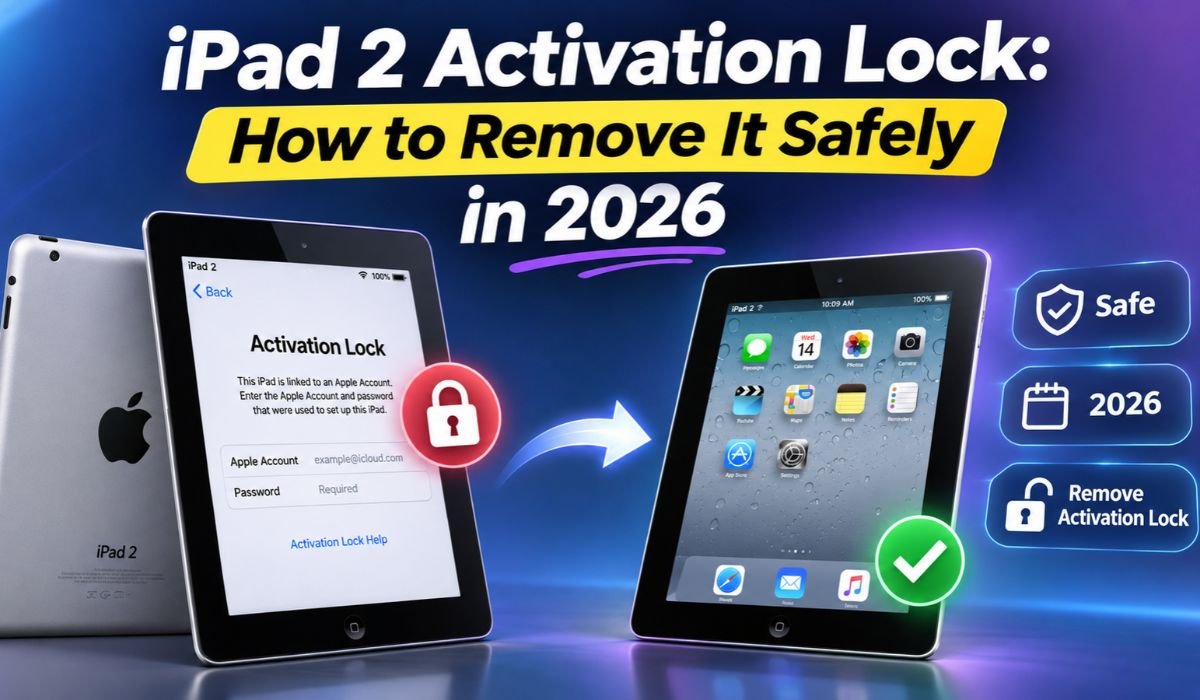
Getting stuck on the iPad 2 Activation Lock screen can be frustrating, especially when you’re trying to use an older device that has been sitting unused for years. You might have forgotten your Apple Account password, purchased a second-hand iPad, or restored the device without realizing that Apple’s security system would prevent you from completing the setup.
Fortunately, there are legitimate ways to resolve this problem. However, not every unlocking method advertised online is reliable. Some solutions permanently remove Activation Lock, while others offer limited functionality or simply don’t work.
This guide explains how iPad 2 Activation Lock works, why it appears, and how to remove it safely in 2026. You’ll also learn about Apple Account recovery, previous-owner assistance, Apple Support, DNS bypass limitations, and common unlocking problems.
Quick Information About iPad 2 Activation Lock
| Information | Details |
|---|---|
| Device Name | Apple iPad 2 |
| Manufacturer | Apple |
| Original Release | March 2011 |
| Security Feature | Activation Lock |
| Activation Lock Introduction | iOS 7 |
| Associated Feature | Find My iPad |
| Account Requirement | Previously Linked Apple Account |
| Main Purpose | Prevent Unauthorized Device Activation |
| Common Problem | Stuck on Activation Lock Screen |
| Official Removal Method | Original Apple Account |
| Alternative Official Method | Previous Owner Removal |
| Apple Support Assistance | Available for Eligible Owners |
| Proof of Purchase | May Be Required |
| Factory Reset Removal | Not Supported |
| iTunes Restore Removal | Not Supported |
| DNS Bypass | Unreliable and Not Permanent |
| Jailbreak Removal | Not Guaranteed |
| Latest Supported iOS | iOS 9.3.5 or 9.3.6, Depending on Model |
| Third-Party Tool Compatibility | Must Be Verified Individually |
| Device Usability in 2026 | Limited by Outdated Software |
What Is iPad 2 Activation Lock?
iPad 2 Activation Lock is an Apple security feature that prevents someone from setting up an iPad without authorization from the Apple Account associated with the device. Apple introduced Activation Lock with iOS 7 as part of its Find My security system.
When Find My iPad is enabled, Activation Lock becomes active automatically. If someone erases or restores the device, Apple’s activation servers check whether it remains associated with an account.
If the association is still active, the iPad displays an Activation Lock screen requesting the appropriate Apple Account credentials.
This feature protects lost or stolen devices, but it can also create difficulties for legitimate owners who have forgotten their login information.
Unlike an ordinary screen passcode, Activation Lock cannot be removed simply by resetting the device.
Why Is Your iPad 2 Stuck on Activation Lock?
Several situations can cause an iPad 2 to become stuck on the Activation Lock screen. One common reason is forgetting the Apple Account originally used to configure the device. Since the iPad 2 is an older model, many owners haven’t accessed their original accounts for years.
Another frequent cause involves second-hand purchases. A seller may erase an iPad without properly removing it from their Apple Account. When the buyer attempts to activate the device, Apple’s servers still recognize the previous owner’s association.
Factory resets can also reveal an existing Activation Lock. Although restoring the iPad removes personal files and settings, it doesn’t automatically remove the device from Apple’s activation system.
Understanding the cause helps you choose the correct solution instead of wasting time on unreliable unlocking services.
Can You Remove iPad 2 Activation Lock in 2026?
Yes, removing iPad 2 Activation Lock is possible in 2026 when you have the necessary account access or can establish legitimate ownership.
The most reliable solution is signing in with the Apple Account previously associated with the device. If the iPad belonged to someone else, that person can remove it from their account remotely.
Apple may also approve an Activation Lock support request when acceptable proof of purchase is available.
However, permanent removal becomes much more difficult when the original account is unknown, the previous owner cannot be contacted, and ownership cannot be verified.
It’s important to understand that temporary workarounds are not equivalent to genuine removal. A properly unlocked iPad should complete Apple’s normal activation process without requesting the previous owner’s credentials.
How to Remove iPad 2 Activation Lock Using Your Apple Account
If you remember the Apple Account associated with your iPad, this is usually the simplest removal method.
Turn on the iPad and connect it to a working Wi-Fi network. Continue through the setup screens until the Activation Lock message appears. Enter the Apple Account email address and password previously associated with the device.
After the information is submitted, Apple’s activation servers verify the credentials. If they’re correct and the account is authorized, the device should proceed through setup.
Make sure you’re entering the account associated with Find My rather than another account you may have used for App Store purchases.
If your password isn’t accepted, avoid repeatedly guessing. Recovering the correct account information is safer and more effective.
How to Recover a Forgotten Apple Account
For many longtime iPad owners, recovering an old Apple Account is the most practical solution.
Start by checking other Apple devices where you may still be signed in. Your account information may also appear in old Apple purchase receipts, account-related emails, or subscription records.
If you remember the email address but have forgotten the password, use Apple’s official password-reset process. Apple may ask you to verify your identity through a trusted device, phone number, or another approved recovery method.
If you no longer have access to those verification options, account recovery may still be available, although it can take additional time.
Once you’ve successfully recovered your account, return to the iPad 2 Activation Lock screen and enter the updated credentials. A newly created Apple Account won’t replace the original account required for activation.
How to Ask the Previous Owner to Remove Activation Lock
If you purchased a used iPad 2, contacting the previous owner is often the quickest solution.
Ask the seller to sign in to Apple’s iCloud Find Devices service using the Apple Account associated with the iPad. They should select the device and follow Apple’s instructions to remove it from their account. Depending on its status, the device may need to be erased before the removal option becomes available.
Once the account association has been removed, restart the iPad and reconnect it to the internet. You should then be able to continue the normal setup process.
The previous owner does not need to share their password with you.
If the seller refuses to cooperate or cannot demonstrate legitimate ownership, consider requesting a refund through the original marketplace or payment provider.
How to Request Activation Lock Removal From Apple Support
Apple Support may help legitimate owners who cannot recover the original account.
Before submitting a request, gather any available purchase documentation. Apple generally requires acceptable proof of ownership, and the document may need to identify the device clearly.
You should also locate the iPad’s serial number. On some models, this information appears on the device itself, its original packaging, or purchase records.
Use Apple’s official Activation Lock support process to submit the required information. Apple will review the request and determine whether the device qualifies for removal.
Approval isn’t guaranteed, and the review timeline can vary.
If Apple cannot verify ownership, it may decline the request. In that situation, contacting the original seller or recovering the associated account remains the most realistic approach.
Can You Bypass iPad 2 Activation Lock Without an Apple Account?
Removing iPad 2 Activation Lock without personally knowing the original account password is possible in certain circumstances. For example, the previous owner can remove the device remotely, or Apple may approve a request supported by acceptable purchase documentation.
However, websites advertising guaranteed iPad 2 iCloud unlock services should be approached carefully. Some request payment before confirming compatibility, while others promise results they cannot deliver.
An IMEI or serial number alone does not provide a universal unlocking solution. These identifiers help identify a device, but they do not automatically authorize Activation Lock removal.
Avoid sharing Apple Account passwords, verification codes, or sensitive personal information with unknown unlocking providers.
Does DNS Bypass Work for iPad 2 Activation Lock?
DNS bypass is an older workaround sometimes mentioned in iPad 2 Activation Lock guides. It involves changing network settings to direct certain requests toward alternative servers.
Historically, some services claimed to provide limited access to web-based features through specially configured DNS servers. However, this approach does not remove the account association maintained by Apple’s activation system.
In 2026, DNS bypass remains unreliable. Many publicly circulated DNS addresses are outdated, and there is no dependable guarantee that they provide useful access.
Even when a workaround displays an alternative interface, that does not mean the iPad has completed normal activation.
For legitimate owners, official account recovery and ownership-based removal are more dependable options.
Can Jailbreaking or Third-Party Tools Remove Activation Lock?
Jailbreaking modifies software restrictions on an Apple device, allowing certain changes that Apple’s standard operating system does not permit. However, jailbreaking alone does not remove Activation Lock from Apple’s servers.
Some commercial applications advertise iCloud Activation Lock bypass features. TunesKit iPhone Unlocker is one example, although compatibility with the original iPad 2 and permanent removal capabilities should not be assumed.
Before purchasing any unlocking software, verify the exact device model, supported iOS version, refund conditions, and available independent evidence.
Older iPads also face security and stability risks when modified using unofficial software.
A tool that removes a screen passcode or performs a factory reset is not necessarily capable of removing Activation Lock. Understanding that distinction can prevent unnecessary spending.
Why Factory Reset Cannot Remove Activation Lock
A factory reset removes local information such as downloaded applications, saved settings, and personal files. It does not independently remove an existing Activation Lock association.
When the iPad reconnects to Apple’s activation servers during setup, the servers determine whether the device remains associated with an Apple Account.
The same principle applies when restoring an iPad through iTunes or recovery mode. Reinstalling iOS can repair certain software problems, but it does not provide ownership authorization.
This explains why some users repeatedly restore their iPads without making progress.
Rather than performing additional resets, identify the account associated with the device and pursue the appropriate removal process.
Common iPad 2 Activation Lock Problems and Solutions
Not every activation failure means the iPad is permanently locked. Sometimes the problem involves an incorrect password, unstable Wi-Fi connection, or temporary communication issue.
If your Apple Account password isn’t accepted, confirm that you’re using the account originally associated with Find My. If necessary, complete Apple’s password recovery process.
When the device cannot contact the activation server, try a reliable Wi-Fi network and restart the iPad. Network-related activation errors should be distinguished from messages specifically requesting the previous owner’s credentials.
If the previous owner has removed the device but Activation Lock still appears, ask them to confirm that the erase and removal process was completed correctly.
Persistent activation errors may require Apple Support assistance, particularly when the issue is unrelated to account ownership.
How to Avoid Activation Lock When Buying a Used iPad 2
Buying an older iPad can be affordable, but checking its activation status before payment is essential.
Ask the seller to erase the device properly and remove it from their Apple Account. Then begin the setup process while the seller is present.
If the iPad requests someone else’s Apple Account information, the device is not ready for transfer.
Don’t assume that reaching the Home Screen proves ownership has been transferred. The device should be erased, and you should confirm that it can complete setup without requesting the previous owner’s credentials.
Keep your purchase receipt and any available transaction documentation.
A seller who refuses to demonstrate successful activation or cannot explain the device’s ownership history should be treated cautiously.
Is iPad 2 Still Worth Using in 2026?
Even after successfully removing Activation Lock, the iPad 2 has important limitations.
Released in 2011, it cannot run modern iPadOS versions. Its supported software ends with iOS 9.3.5 for Wi-Fi models and iOS 9.3.6 for certain cellular models.
Many current applications require newer operating systems, and some websites may not function correctly with its outdated browser.
The device may still be useful for basic offline activities, viewing compatible documents, displaying photographs, or using older applications that remain installed and functional.
However, its outdated security protections make it unsuitable for sensitive activities such as online banking.
If unlocking requires expensive software or extensive repairs, purchasing a newer supported device may offer better long-term value.
How to Prevent Future Activation Lock Problems
Once your iPad is working again, keeping your Apple Account information accessible can prevent similar problems.
Review your account recovery details regularly and maintain access to your trusted phone number or verification methods.
Before selling or giving away an iPad, sign out of the associated Apple Account, turn off Find My, and follow Apple’s recommended device-erasure process.
Removing the device correctly ensures the next owner can complete setup without encountering your account credentials.
Store your purchase documentation safely, especially for devices you plan to keep for several years.
These simple precautions make future ownership transfers easier and help protect your personal information.
Final Thoughts
Dealing with iPad 2 Activation Lock in 2026 doesn’t have to mean giving up on your device. If you own the iPad legitimately, recovering the original Apple Account, contacting the previous owner, or requesting assistance from Apple are the safest approaches.
Although DNS bypass services, jailbreaking methods, and third-party unlocking applications frequently appear in online guides, none should be treated as a guaranteed permanent solution.
The most important thing is to understand why your device is locked before attempting to fix it. Choosing the correct method saves time, protects personal information, and reduces the risk of paying for unreliable services.
With proper ownership verification and realistic expectations about its aging software, an unlocked iPad 2 can still serve a useful purpose, even in 2026.
FAQs About iPad 2 Activation Lock
Can I Remove iPad 2 Activation Lock for Free?
Yes. Using the original Apple Account or asking the previous owner to remove the device does not require purchasing unlocking software. Eligible owners can also submit an official Activation Lock support request to Apple.
Can I Unlock iPad 2 Without the Original Apple Account?
You may be able to regain access if the previous owner removes the device remotely or Apple approves an ownership-verification request. Without these options, there is no guaranteed legitimate bypass method.
Does Factory Reset Remove iPad 2 Activation Lock?
No. A factory reset erases local data but does not remove the account association stored on Apple’s activation servers. The device may request the original credentials again during setup.
Does DNS Bypass Still Work in 2026?
DNS bypass is unreliable and does not permanently remove Activation Lock. Older instructions may no longer function, and changing DNS settings cannot independently authorize normal device activation.
Can Jailbreaking Permanently Unlock an iPad 2?
Jailbreaking alone cannot remove Apple’s server-side Activation Lock. Some unofficial tools advertise additional capabilities, but their compatibility, reliability, and security risks require careful evaluation.
Can Apple Remove Activation Lock Without a Receipt?
Apple requires acceptable proof of ownership for its support-based removal process. Without sufficient documentation, a request may be rejected. Requirements depend on Apple’s review of the submitted evidence.
Can I Use a New Apple Account After Unlocking?
Yes. Once Activation Lock has been legitimately removed and the device completes activation, you can sign in with your own Apple Account, subject to the iPad’s software compatibility and supported services.
What Should I Do If I Bought a Locked iPad 2?
Contact the seller and request removal from their Apple Account. If they cannot help, explore the marketplace’s refund process or contact Apple with acceptable purchase documentation.
Learn more and explore exciting content on: Tim Belusko Biography: Early Life, Career, Marriage, and Personal Journey
[…] Learn more and explore exciting content on: iPad 2 Activation Lock: How to Remove It Safely in 2026 […]